_x000D_\n
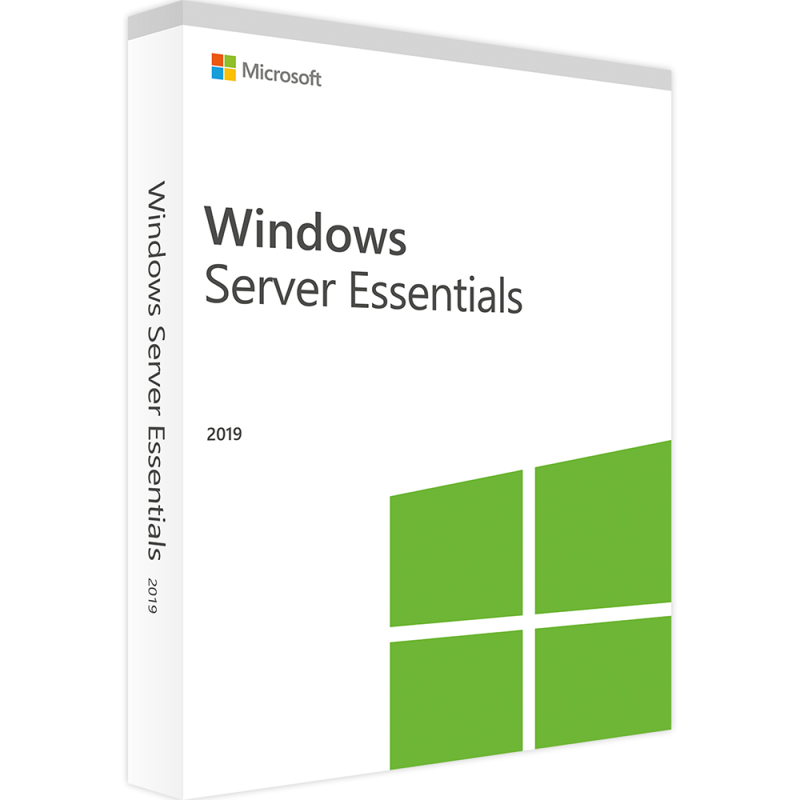
✅ Microsoft Windows Server 2019 Essentials, PC, ISO Retail, digital license, Global
_x000D_\nMicrosoft Windows Server 2019 Essentials is the streamlined and cost effective edition of Windows Server, specifically designed for small businesses with up to 25 users and 50 devices. Delivered as an ISO Retail digital license with instant global activation, this edition provides a complete server solution at a lower cost while still including essential features such as file and print sharing, remote access, and basic security tools. With easy setup and simplified management, Essentials makes it possible for organizations with limited IT resources to modernize their infrastructure and improve collaboration._x000D_\n_x000D_\nMicrosoft Windows Server 2019 Essentials is perfect for small organizations that need a dependable, easy to use server operating system without the overhead of enterprise grade features. It provides the core server capabilities needed to run critical workloads, manage shared resources, and support basic cloud integration with Microsoft Azure. The Essentials edition comes with many of the improvements found in the Standard and Datacenter editions, but it is optimized for simplicity and affordability, making it an excellent choice for small businesses transitioning to modern IT environments._x000D_\n_x000D_\nWith features such as Active Directory integration, remote desktop support, and backup services, Windows Server 2019 Essentials helps small organizations secure their data and centralize management. While it does not include advanced virtualization rights, it remains compatible with Hyper V for lightweight virtual machine scenarios. For small offices, non profits, or startups that want an affordable solution, Windows Server 2019 Essentials provides the right balance between functionality and cost._x000D_\n
🔍 Overview: Why Choose Microsoft Windows Server 2019 Essentials?
_x000D_\nMicrosoft Windows Server 2019 Essentials is built with simplicity in mind, offering straightforward setup and management tools for organizations without dedicated IT departments. It ensures that small businesses can still enjoy the benefits of a modern server environment, such as centralized data storage, application hosting, and secure remote access, while keeping licensing and management easy to understand._x000D_\n_x000D_\n
Key Benefits:_x000D_\n
_x000D_\n - Affordable and optimized for small businesses with up to 25 users and 50 devices.
_x000D_\n - Simplified installation and management, ideal for companies without full time IT staff.
_x000D_\n - Provides centralized file storage, backup, and print services.
_x000D_\n - Supports remote access and integration with Microsoft Azure services.
_x000D_\n - Includes essential Active Directory, security, and management tools.
_x000D_\n
_x000D_\n
💡 Main Features
_x000D_\n
_x000D_\n - Small Business Focus: Designed specifically for organizations with up to 25 users and 50 devices.
_x000D_\n - Centralized Management: Manage shared resources like files, printers, and applications from a single server.
_x000D_\n - Active Directory Support: Provide secure user authentication and group policy management.
_x000D_\n - Remote Access: Enable employees to securely access files and applications from anywhere.
_x000D_\n - Backup & Restore: Protect critical data with built in backup and recovery options.
_x000D_\n - Cloud Integration: Connect with Microsoft Azure for cloud backup, storage, and hybrid scenarios.
_x000D_\n - Lightweight Virtualization: While not licensed for unlimited virtualization, it supports Hyper V for simple VM setups.
_x000D_\n - Security Features: Windows Defender and secure configurations help protect small business environments.
_x000D_\n
_x000D_\n
⚙️ System Compatibility
_x000D_\n
Supported Platforms:_x000D_\n
_x000D_\n - Compatible with modern PC and server hardware designed for Windows Server 2019 Essentials.
_x000D_\n - Supports both physical and lightweight virtual deployments.
_x000D_\n - Integration with Microsoft cloud services for hybrid IT environments.
_x000D_\n
_x000D_\n
💾 How to Install and Activate Microsoft Windows Server 2019 Essentials
_x000D_\n
_x000D_\n - Purchase the ISO Retail digital license for Windows Server 2019 Essentials.
_x000D_\n - Download the official ISO file provided after purchase.
_x000D_\n - Boot from the ISO and follow the setup wizard to install Windows Server 2019 Essentials.
_x000D_\n - Configure the server roles you need, such as file sharing, Active Directory, or remote access.
_x000D_\n - Enter the Retail license key received via email to activate globally.
_x000D_\n
_x000D_\n
🔑 License Information
_x000D_\n
_x000D_\n - Type: ISO Retail Digital License
_x000D_\n - Activation: Global
_x000D_\n - Supported Devices: PC / Server (up to 25 users and 50 devices)
_x000D_\n - Delivery: Instant via email
_x000D_\n
_x000D_\n
📈 SEO Keywords
_x000D_\nWindows Server 2019 Essentials ISO Retail license_x000D_\n_x000D_\nBuy Windows Server 2019 Essentials digital key_x000D_\n_x000D_\nMicrosoft Windows Server 2019 Essentials PC_x000D_\n_x000D_\nMicrosoft Windows Server 2019 Essentials PC license_x000D_\n_x000D_\nActivate Windows Server 2019 Essentials globally_x000D_\n_x000D_\nDownload Windows Server 2019 Essentials ISO_x000D_\n_x000D_\nWindows Server 2019 Essentials for small business_x000D_\n_x000D_\nMicrosoft Windows Server 2019 Essentials_x000D_\n_x000D_\nBest server OS for SMBs 2019 Essentials edition_x000D_\n_x000D_\nAffordable Windows Server 2019 Essentials solution


 Products marked ⚡Instant delivery via email
